Unit Master (Unit of Measurement)
Purpose:
Maintain a standard list of units of measurement (e.g., KG, Litre, Pieces). This ensures everyone uses the same abbreviations and meanings in line items.
How to Create a Unit
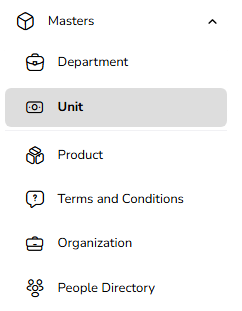
Go to Masters → Unit
Open Masters.
Click on Unit.
Click “Create Unit.”
Opens a form for new unit entry.
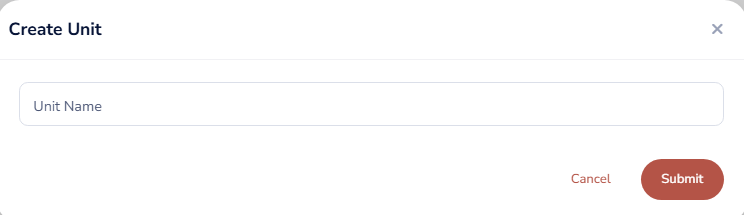
Fill in Unit Details
Unit Name (Required)
Example: “Kilogram”, “Piece”, “Litre”, “Box”.
Save
Click Save.
System will Stops you from creating exact duplicate units.
Usage
When defining products:
Select the unit from this master list.
When adding line items in events.
Edit a Unit
Open the Unit List
Go to Masters → Unit.
Find the Unit
Locate the unit via search or filters.
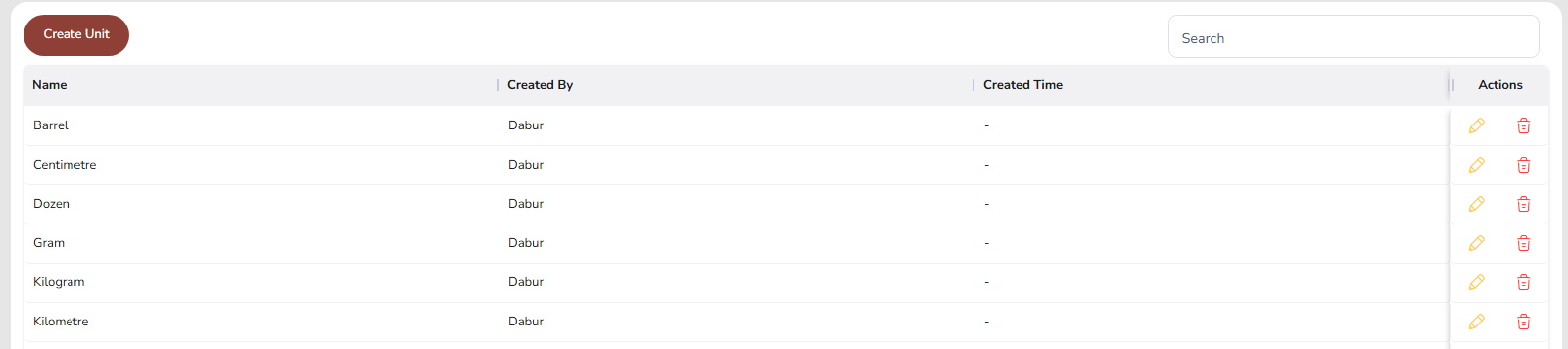
Click Edit
Click the Edit icon on the corresponding row.
Update Details
Change Unit Name, Short Code, or Description.
Keep the short code clear and unique.
Save
Click Update.
Updated unit will be used for all future products and line items.
Delete a Unit
Open the Unit List
Go to Masters → Unit.
Click Delete
Click the Delete icon beside the unit.

System Validation
If unit is not linked to any product or line item:
Deletion is allowed.
If unit is already used:
Deletion is blocked.
You will see a message like:
“This unit is used in products or line items and cannot be deleted.”
Was this article helpful?
That’s Great!
Thank you for your feedback
Sorry! We couldn't be helpful
Thank you for your feedback
Feedback sent
We appreciate your effort and will try to fix the article