Inviting vendors is a straightforward process within the event creation workflow, and you can easily track their status afterward.
To Invite Vendors:
- When you are in the event creation screen, simply select the vendors you wish to invite or you can add new vendor and it goes to 'My Vendor' list.
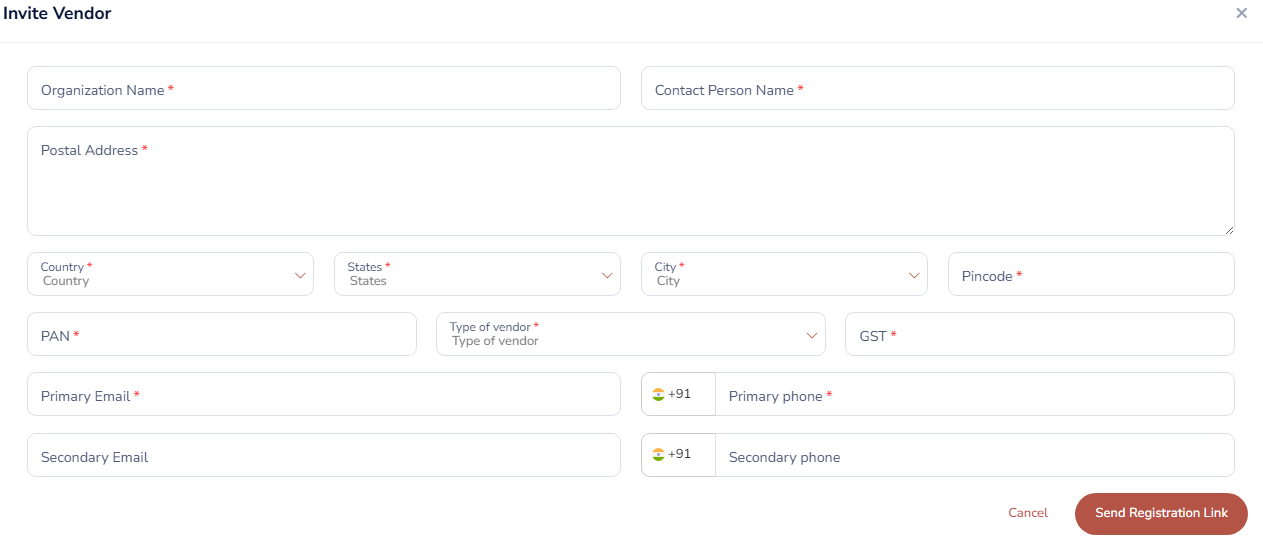
- You can choose from your own list of trusted partners in 'My Vendors' or explore a wider network of potential partners in the 'ApnaJugaad Vendors' list.
- The platform will send an invitation to each selected vendor when the event is published.
To Check Invitation History:
- Navigate to the specific event's details page.
- Click on 'Invitation History'.
- This section provides a complete log of every invitation sent for that event, allowing you to see which vendors were invited, the date and time the invitation was sent, and its current status (e.g., sent, opened, accepted).
Was this article helpful?
That’s Great!
Thank you for your feedback
Sorry! We couldn't be helpful
Thank you for your feedback
Feedback sent
We appreciate your effort and will try to fix the article