Steps to Log In to ApnaJugaad:
1. Navigate to the Login Page: Go to the official ApnaJugaad Login page "https://v3.apnajugaad.co.in/auth".
2. Enter Your Credentials: On the login screen, enter your registered Username (or User ID) and Password in the designated fields. 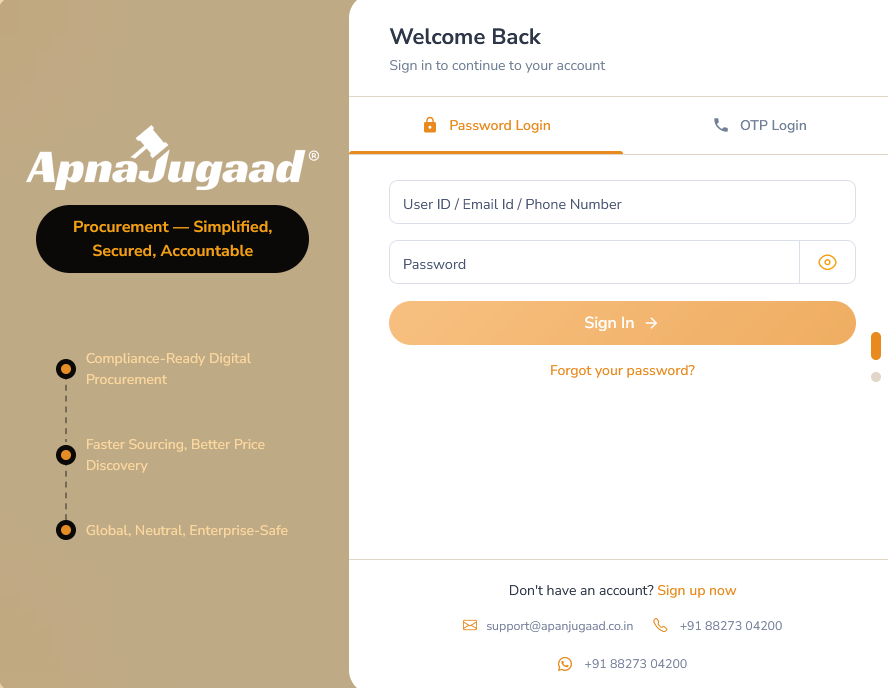
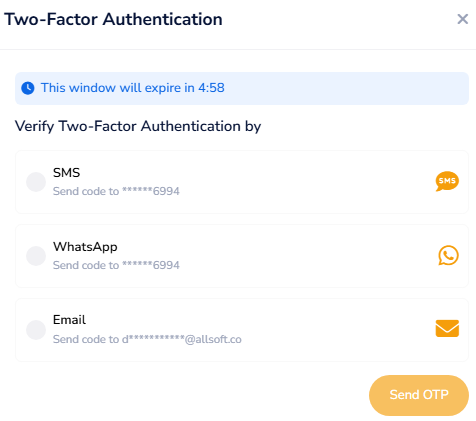
3. Complete the Security Check: For added security and to protect your account, you may be prompted to enter a One-Time Password (OTP). This unique code is automatically sent to your registered mobile number or email address. Simply enter the OTP to complete the login process.
Was this article helpful?
That’s Great!
Thank you for your feedback
Sorry! We couldn't be helpful
Thank you for your feedback
Feedback sent
We appreciate your effort and will try to fix the article